香港特惠服务器
三网CN2带宽,提供30M至100M大带宽,保障CN2/CMIN2/CU/PCCW四大运营商线路稳定接入


1、使用Key验证连接SSH
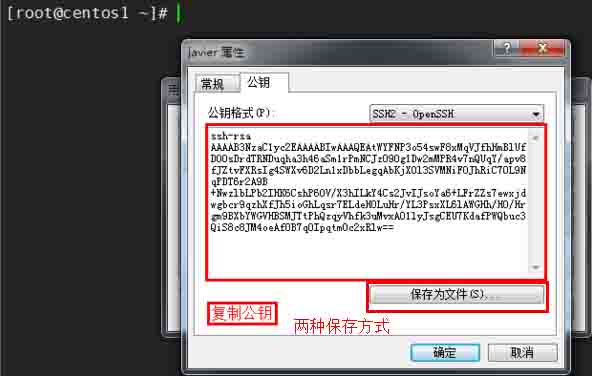
使用Key的登陆需要生成一对密钥,putty、secureCRT以及Xshell均有生成密钥的功能,本文以Xshell 5为例。
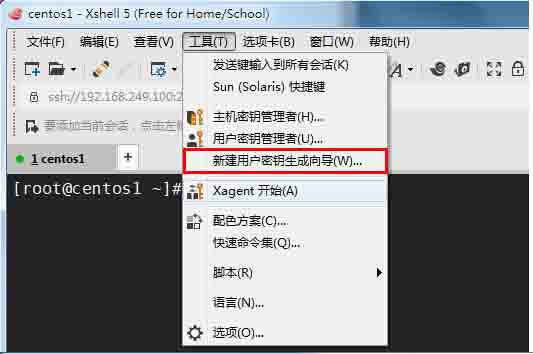
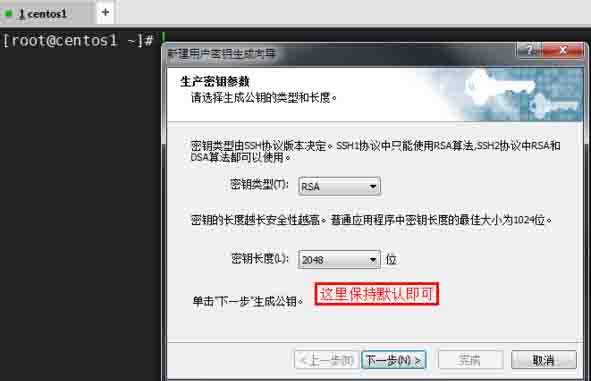
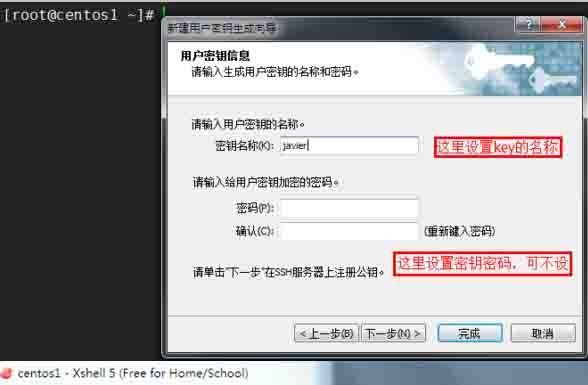
密码为密钥密码,如果不设置,只要拥有密钥就可以登录服务器,设置密码的话必须拥有密钥和密钥密码才能登录服务器。
2、开启sshd的密钥登录功能
# vi /etc/ssh/sshd_config
修改以下几处
PasswordAuthentication no
PubkeyAuthentication yes
AuthorizedKeysFile .ssh/authorized_keys
# service sshd restart
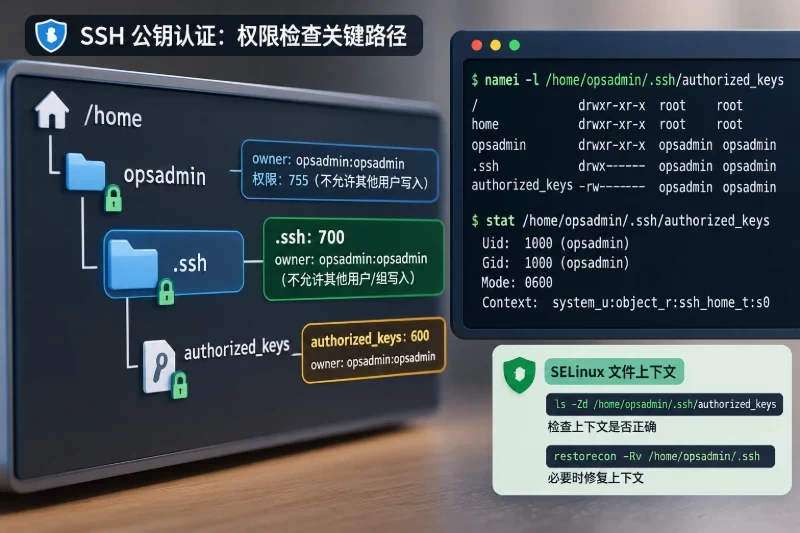
3、上传密钥文件至服务器并设置权限。
[root@centos1 ~]# mkdir /root/.ssh
[root@centos1 ~]# chmod 700 /root/.ssh/
[root@centos1 ~]# touch /root/.ssh/authorized_keys
[root@centos1 ~]# chmod 600 /root/.ssh/authorized_keys
然后将之前复制的公钥粘贴到/root/.ssh/authorized_keys下并重启SSH服务
[root@centos1 ~]# /etc/init.d/sshd restart
Stopping sshd: [ OK ]
Starting sshd: [ OK ]